 Yuja
Apps / Setumi

Setumi
20 seconds on, 10 seconds off. An interval timer that counts out loud so you don't have to watch the screen
Timing rounds with a stopwatch means glancing at the screen mid-rep. Set your work time, rest time and number of rounds once, and Setumi calls out every segment change with sound, voice and vibration, counting 3, 2, 1 before each one ends.
Cues keep going after you lock the phone, and the time left shows on the Lock Screen and in the Dynamic Island. Finished workouts are logged with time, rounds and estimated calories, and saved to the Health app.
Key features
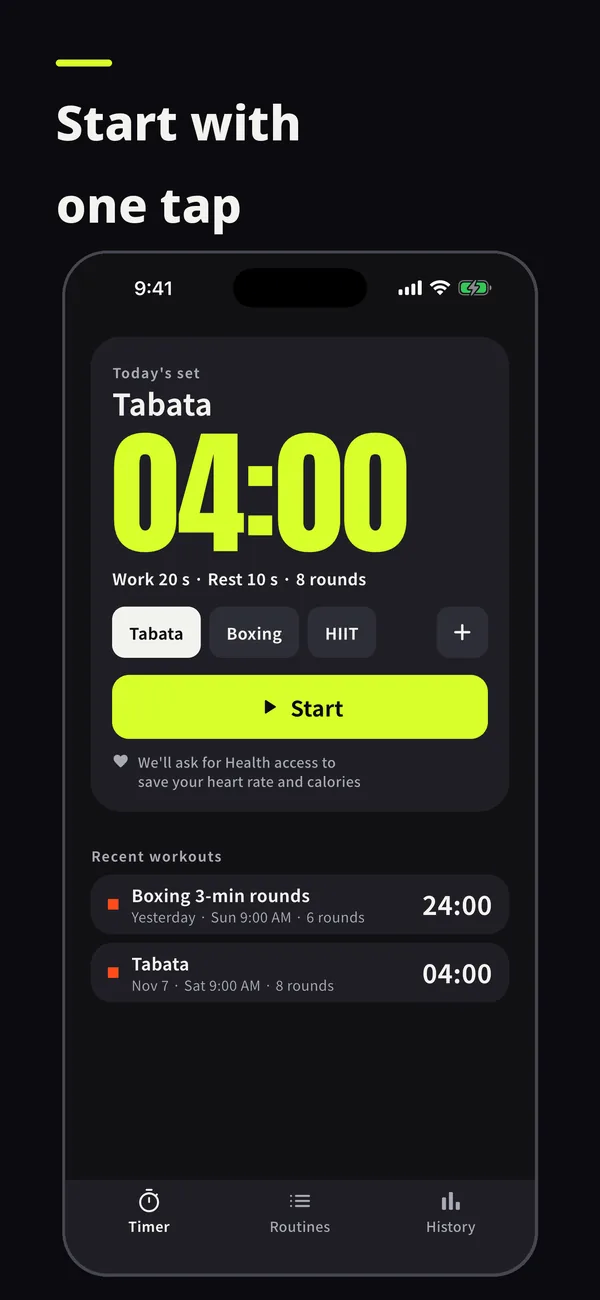
Tabata, HIIT and boxing presets
Tabata (20 s work, 10 s rest, 8 rounds), HIIT (40 s work, 20 s rest, 10 rounds) and boxing (3-minute rounds, 1 minute rest) start after a 10-second get-ready countdown.
Build your own routines
Set segment length, repeats and rest between sets, add a note and save it. Use it for jump rope, planks or circuit training, and star the routines you use most.
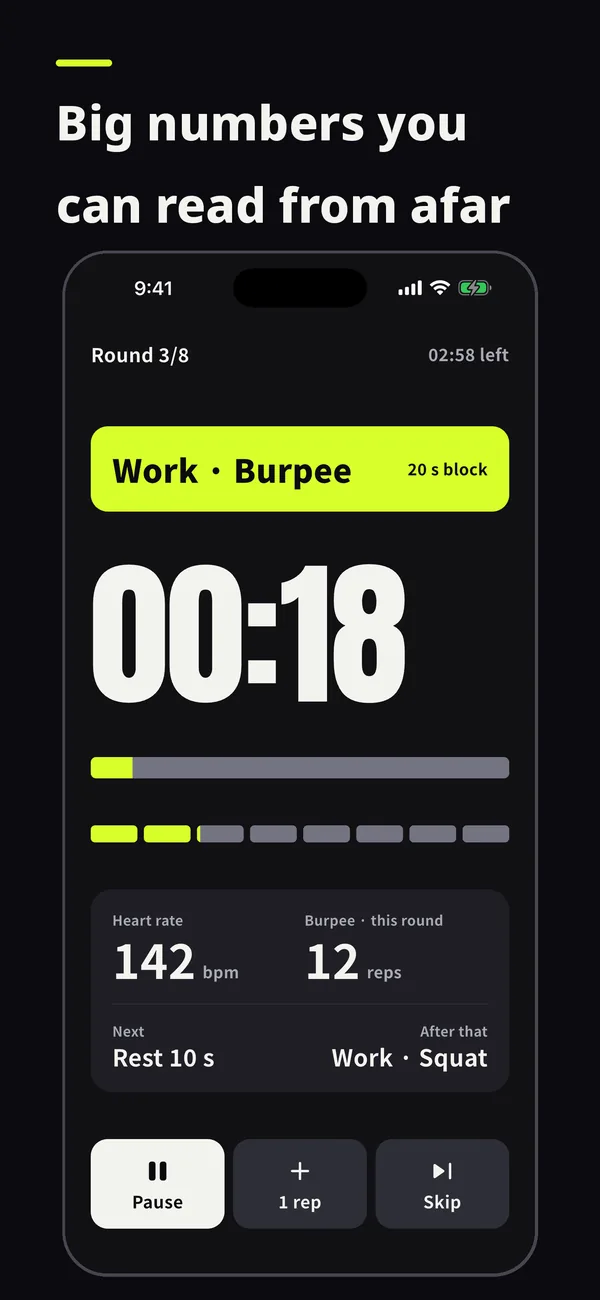
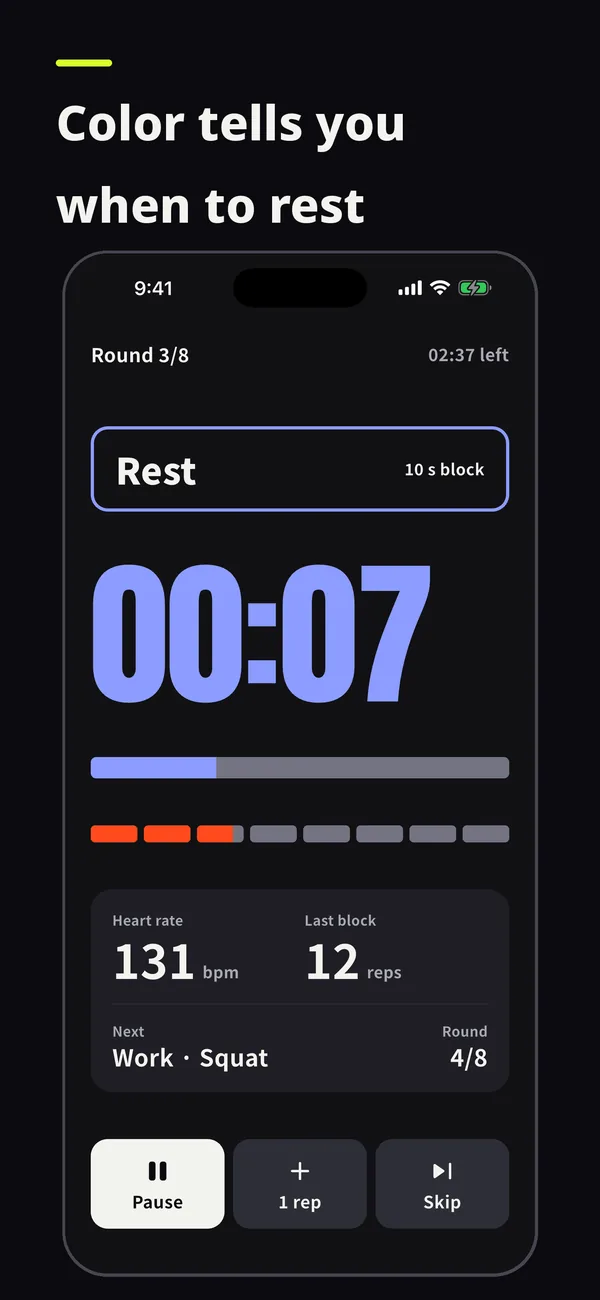
Every segment called out
Get-ready, work, rest, rest between sets and cool-down are each announced. Pause, skip to the next segment or stop with one button.
Lock Screen and Dynamic Island
With the phone locked, the time left stays on the Lock Screen and in the Dynamic Island, and you can pause or skip from there.
Voice cues in 22 languages
Sound effects and voice cues play over your own music. In silent mode you get vibration instead, and Pro lets you pick a male or female voice.
Keep-screen-on mode
Keep the screen on for the whole workout when you want the countdown in big numbers.
Rep counter per round
For burpees, push-ups and other rep-based moves, add to this round's count with one button.
Apple Watch app
Pick a routine on your wrist and see the round, time left and heart rate. You get a summary on the watch when the workout ends.
Heart rate zones
Apple Watch heart rate is split into five zones from 50% to 90% of your maximum heart rate, shown for each round (Pro).
Health and Health Connect
Workouts and active energy are saved to Apple Health on iPhone and to Health Connect on Android. The app asks before your first workout.
History and estimated calories
Time, rounds and estimated calories are logged automatically, and you can add an effort rating (1 to 10) and a note. Calories come from the MET value for the workout type, your weight and the time.
Home screen widgets
Open a routine straight from a Home Screen or Lock Screen widget. There are 4 widget themes (3 of them with Pro).
By the numbers
- Tabata preset (work s / rest s × rounds)
- 20 / 10 × 8
- Voice cue languages
- 22
- Heart rate zones (50–90% of max)
- 5
- Supported iOS (Android 8.0 and later)
- iOS 17+
Frequently asked questions
What are the Tabata timer settings?
The Tabata preset is 20 seconds of work and 10 seconds of rest for 8 rounds, after a 10-second get-ready countdown. To change the times, build and save your own routine.
Can I use Setumi for free?
Yes, the basic timer works without a subscription, and you'll see ads while using it for free. Ads never appear during a workout (get-ready, work or rest segments). Saved routines and how far back you can see your history are limited; a Setumi Pro subscription removes the ads and those limits.
Do the cues stop when I lock the screen?
No. Sound and vibration cues keep going with the screen locked, and in silent mode you get vibration.
Do I need an Apple Watch?
No. The timer and history work with just your phone. Heart rate comes from Apple Watch, so you need a watch to see it, and per-round heart rate analysis is a Pro feature.
How are calories calculated?
They're an estimate: the MET value for the workout type multiplied by the weight you entered and the workout time.
Do I need an account?
No. Your routines and workout history are stored on your device.
Setumi is not a medical device. Calories and heart rate are for reference only.
App information
- Platforms
- iOS, Android
- Developer
- Yuja Inc.
- Contact
- master@yuja.kr
- Policies
- Privacy Policy
Terms of Use
Support
 Decibel Meter
 Principle
 Ah, Right!
 Yuzi
 Usage Monitor